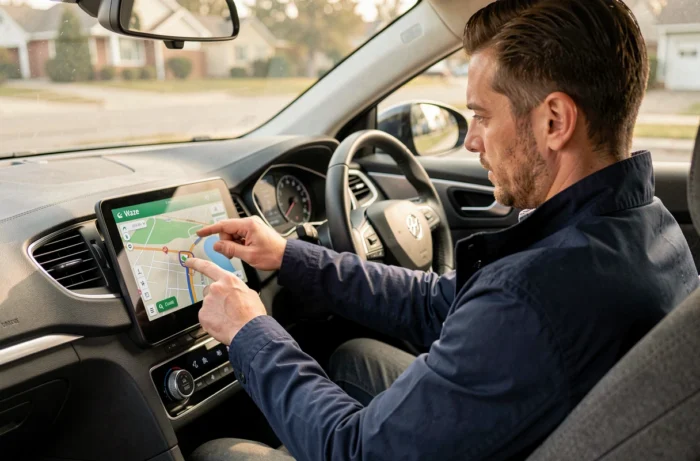
Waze operates on two distinct architectures on a car screen: mirroring via Android Auto or CarPlay, which projects the phone’s app onto the embedded screen, and native integration in vehicles equipped with Google Automotive Services (AAOS), which runs Waze directly in the vehicle’s operating system without a connected phone. Understanding this distinction shapes the entire configuration process.
Mirroring or native integration: two modes of operation not to be confused
Mirroring (Android Auto, CarPlay) relies on the smartphone. The app runs on the phone, and the vehicle’s screen acts as a remote monitor. All computing power, network connection, and updates pass through the mobile device.
The native AAOS integration, available on certain recent models (Renault with OpenR Link, Volvo EX30/EX90, Polestar, among others), runs Waze in the embedded system. The phone only comes into play during the initial connection, via a QR code, to synchronize the account. After this step, Waze operates autonomously thanks to the cellular connection integrated into the vehicle.
A often underestimated point: on the AAOS version, the interface is limited to the main navigation functions. Some settings and features available on the smartphone app are not accessible on the embedded screen. Before choosing a mode, it’s important to know that a guide detailing how to install Waze on a car GPS covers these nuances depending on the type of system.

Waze on Android Auto and CarPlay: configuration and network constraints
To display Waze on the screen via Android Auto, the app must be installed on the smartphone and appear in the list of compatible applications in the system. USB connection remains the most reliable method. Wireless Android Auto is available on recent vehicles, but stability depends on the vehicle’s Wi-Fi protocol.
On CarPlay (iPhone), Waze must be enabled in the CarPlay settings of the phone. The display is then adapted to the vehicle’s screen, with enlarged buttons and a simplified interface to limit distraction.
Three common blocking points
- Waze does not appear on the vehicle’s screen: check that the app is up to date on the smartphone and that the USB cable used supports data transfer (not just charging)
- The GPS sound does not come through the speakers: in the Waze settings, audio section, select the sound output to the vehicle’s system rather than the phone’s speaker
- Repeated disconnections wirelessly: restarting the vehicle’s Bluetooth/Wi-Fi module resolves most cases, but some models require a firmware update of the multimedia system
Bluetooth alone is not sufficient to project the Waze interface. It only transmits the audio stream (voice instructions, alerts). To display the map and controls on the screen, USB connection or the wireless Android Auto/CarPlay protocol is necessary.
Recent AI features of Waze and impact on embedded navigation
Waze rolled out an update starting August 2026 described as the most significant in several years. Among the additions: a customized navigation based on previous trips, a “less chatty” mode that reduces non-priority notifications, smarter voice reports, integrated search via Gemini, and a dedicated motorcycle mode.
On an embedded screen, these features behave differently depending on the mode used. Via Android Auto or CarPlay, updates from the smartphone app automatically reflect on the vehicle display. On AAOS, deployment depends on updates from the embedded Play Store, sometimes delayed by a few weeks.
The “less chatty” mode is particularly beneficial for highway driving: only highly relevant alerts are voiced, which reduces attentional fatigue on long trips.

Waze integrated into manufacturer GPS: the case of overlay data
Beyond mirroring and AAOS, a third model is emerging. Some manufacturers integrate Waze’s community data (speed trap alerts, accident reports, danger zones) directly into their own navigation system, bypassing the Waze app itself. Rivian announced the addition of Waze alerts related to police and speed traps in a software update, after already integrating Google Maps in 2025.
This model transforms Waze into a data provider rather than a standalone app. The driver retains the manufacturer GPS interface while benefiting from community feedback. The limitation: advanced Waze features (real-time alternative routing, AI customization) are not accessible in this mode.
Which mode to prioritize according to the vehicle
- Vehicle with AAOS (Renault OpenR Link, Volvo, Polestar): prioritize the native app for a complete experience without a smartphone
- Vehicle compatible with Android Auto or CarPlay: mirroring remains the most versatile solution, with access to all app functions
- Vehicle with Waze data overlay (Rivian): suitable for drivers who prefer the manufacturer GPS but want community alerts
The choice of mode depends as much on the embedded system as on usage. A daily commute benefits little from dynamic routing, while a journey in a dense urban area fully exploits real-time data. Three Waze functions remain locked on the smartphone and do not display via Android Auto, which may weigh in the decision for intensive users.