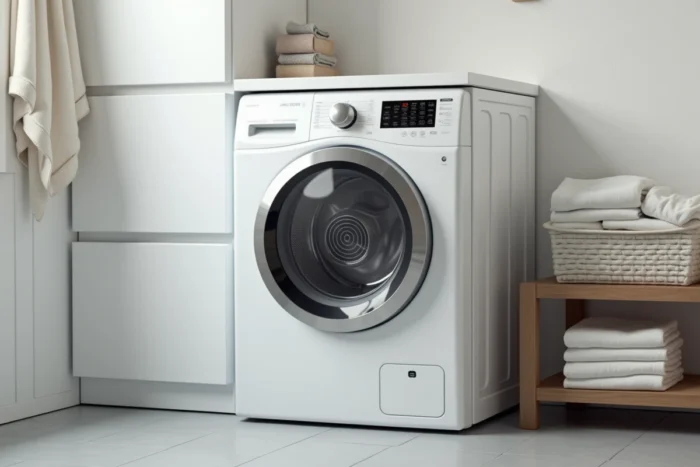
On Valberg washing machines distributed by Electro Dépôt, the spin symbol does not always appear as an isolated spiral. Depending on the models (WF 812, WF 1014 A-10 W566C), the spin function is integrated into the program selector or accessible via a dedicated speed adjustment button, which often confuses users accustomed to the standardized pictograms of other brands.
Valberg error codes that block spinning despite correct settings
A correctly selected symbol does not guarantee that the spin cycle will start. Three specific error codes for Valberg cause an automatic blockage of the spin phase to protect the motor and the drain pump.
- E10 indicates a water supply issue. The cycle remains on hold and the spin never starts, even if the drum still contains residual water.
- E20 indicates a drainage problem. The machine refuses to spin until the drainage is effective, to avoid mechanical overload on the drum.
- E50 points to a motor malfunction. Spinning is disabled for safety, and restarting the program without intervention does not resolve the issue.
We observe that these codes often appear after incomplete cleaning of the pump filter or a kink in the drainage hose. Before suspecting a fault in the spin selector, checking these mechanical points eliminates most blockages.
Understanding the spin symbol on a Valberg washing machine also means knowing that the machine can inhibit the function regardless of the setting displayed on the control panel.
Spin speed on Valberg and its impact on drying laundry
The spin speed on recent Valberg models is adjusted in increments, usually via a rotary knob or successive presses on a dedicated button. The associated pictogram (spiral or “rpm” indication) varies depending on the model generation, but the logic remains the same: the higher the value, the drier the laundry comes out.
On the WF 1014 A-10 W566C model, the Electro Dépôt technical sheet specifies that the spin speed directly affects drying time, whether the laundry goes into a dryer or dries in the open air. The recommended compromise is around 1400 rpm for most common textiles (cotton, synthetic, blends).
Adjusting speed according to fabric type
Reducing the spin speed below 800 rpm is justified for wool, silk, or delicate structured garments. On these textiles, excessive spinning deforms the fibers and causes irreversible felting.
For thick cotton (towels, sheets), going below 1000 rpm significantly extends drying time. In winter, users of Valberg 6 to 8 kg report that a full-speed spin combined with an extra rinse yields better results than a standard cycle, especially when drying indoors.
Eco program on Valberg and moderate spinning: what the symbol doesn’t say
The Eco program, indicated by a leaf or the mention “Eco” on the panel, applies a deliberately reduced spin speed compared to the standard cotton program. This design choice aims to limit the overall energy consumption of the cycle.
The trade-off is direct: the laundry comes out wetter from the drum. The Eco cycle compensates by extending the total washing time, which improves rinsing efficiency at low temperatures, but does not make up for the mechanical spin deficit.
When to force a faster spin after an Eco cycle
On most Valberg models, it is possible to restart a spin cycle alone after the Eco program ends. The spiral symbol, when present on the selector, corresponds precisely to this isolated function. Selecting this mode and then adjusting the speed to maximum allows for recovering a residual moisture level comparable to a standard cotton cycle.
We recommend this approach for bulky loads (duvets, curtains) washed on Eco: an additional spin reduces drying time without negating the energy savings achieved during the actual washing.

Reading the Valberg control panel: spotting the spin among other symbols
The panel on recent Valberg models groups several similar pictograms that can be confusing. The spin symbol (spiral) often sits next to the drainage symbol (downward arrow or emptying tub) and the rinsing symbol (water droplets or wave).
The key distinction: the spiral indicates the rapid rotation of the drum to extract water, while the wave or droplets signal the addition or agitation of water. On some models, these three functions (rinsing, draining, spinning) are combined in the same sub-program accessible via the main selector.
Additional symbols related to spinning
The “anti-crease” pictogram (sometimes a stylized garment or the mention “Crease”) automatically reduces the spin speed at the end of the cycle. Activating it alters the behavior of the spin without the user having adjusted the speed setting, which explains some surprises at unloading.
The delayed start, on the other hand, does not affect the programmed spin speed. Regardless of the launch time, the spin parameters selected at the start remain applied.
On Valberg models with a digital display, the current spin speed is shown in rpm during the final phase of the cycle. On mechanical selector models without a screen, only the notch chosen before starting is valid, without visual confirmation during the program. Checking the position of the selector before pressing “Start” remains the only guarantee of achieving the desired spin.